
Accounting and GST for India
Books, GST and approvals, in step with your accountant.
TelBooks is accounting software built alongside a practising chartered accountancy firm. Raise GST invoices, match your bank, get entries approved, and let your CA see the same books you do.
Free during early access.
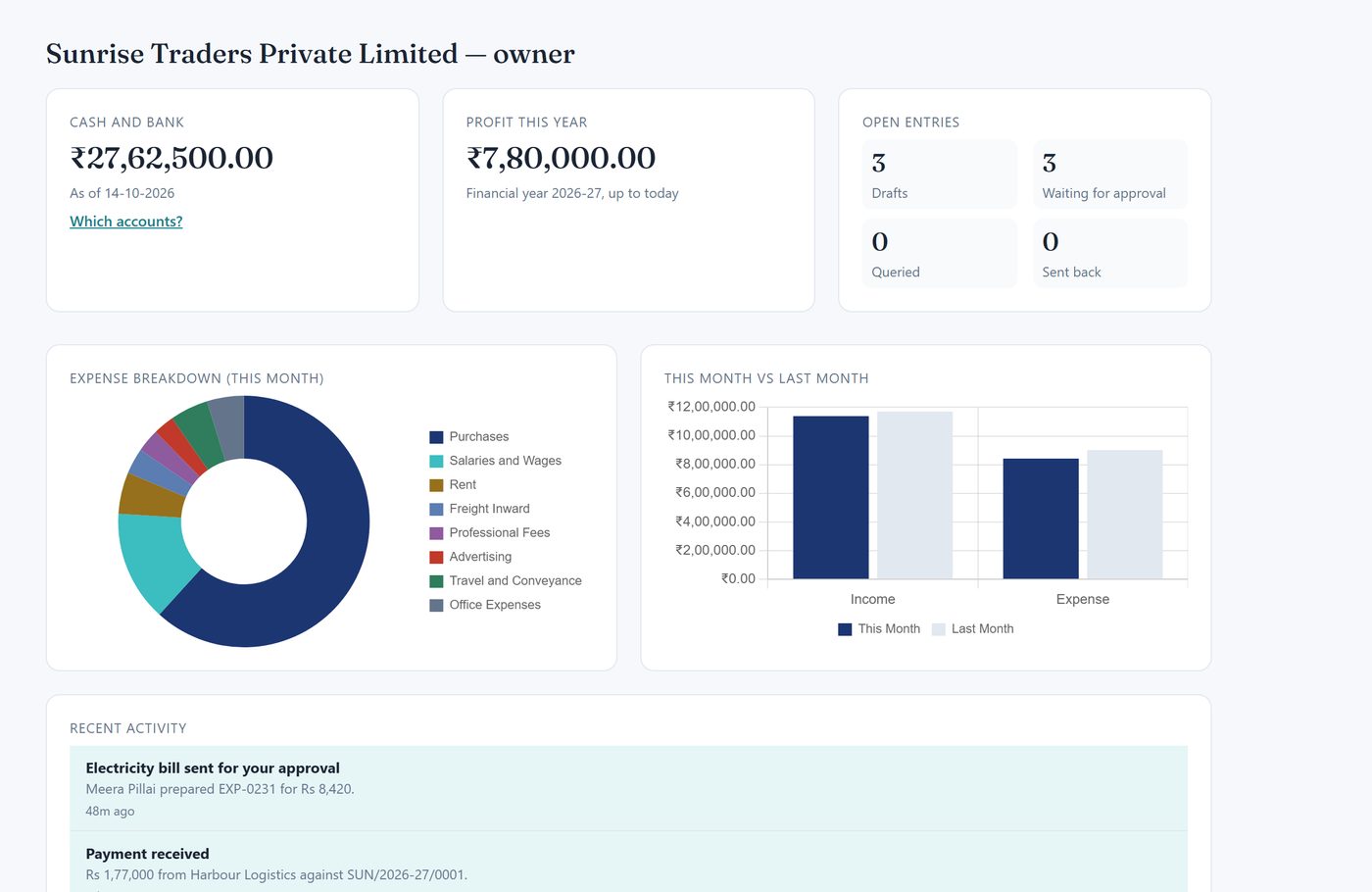
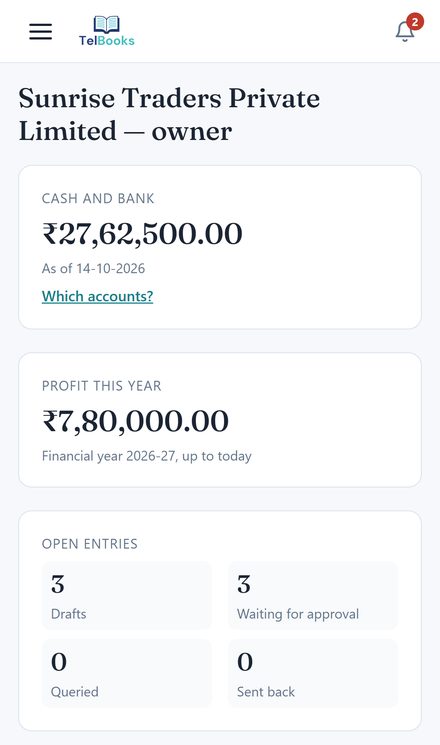
- GST rates 0, 0.25, 3, 5, 18, 40
- Export and SEZ invoices with LUT
- 13 currencies
- Dates in dd-mm-yyyy
- Import from Tally
Invoices
Invoices that follow the GST rules.
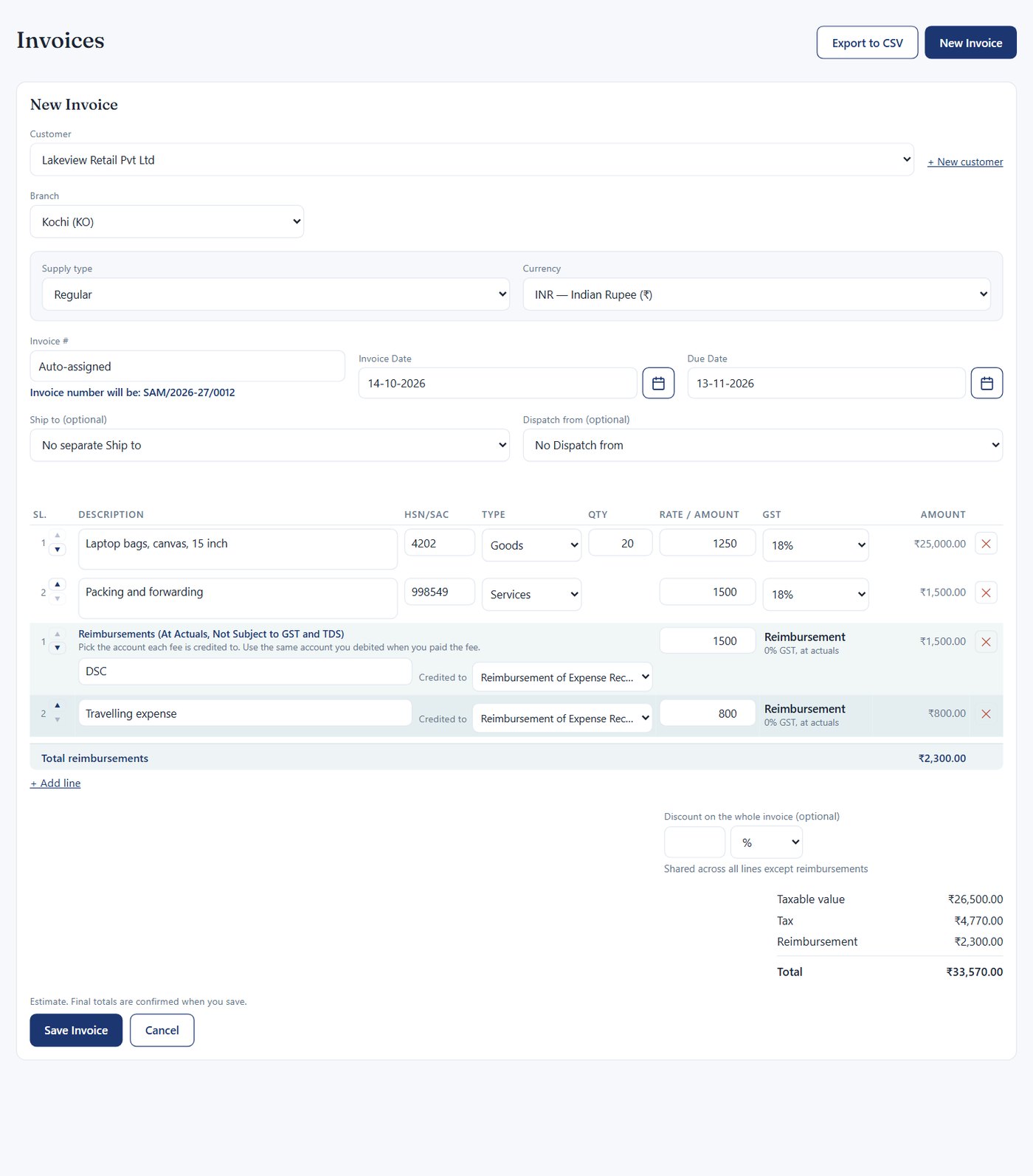
Give each line one GST choice: a rate from a short list, Exempted, or Reimbursement. Mark a supply as export or SEZ and IGST goes to 0 percent, with your LUT number and the export note added to the invoice. Bill in a foreign currency and the rupee value is kept alongside.
- Numbers stay inside the 16 characters GST allows, with your own prefix, year style and a series for each branch.
- Type a customer and see the descriptions you used for them before. Pick one or write a new line.
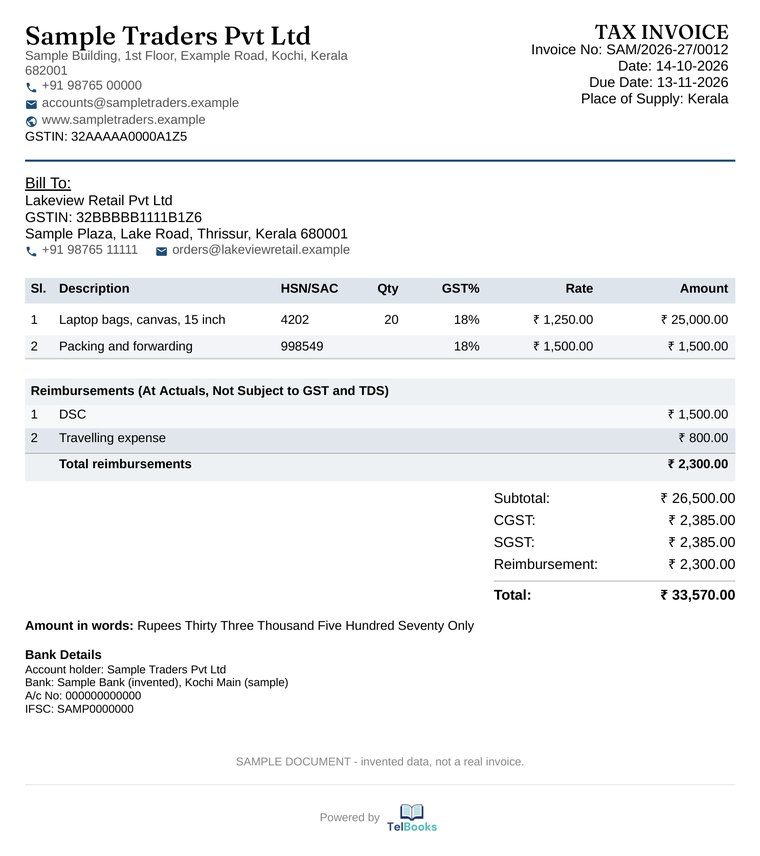
- One discount for the whole invoice, shared across the lines. Reimbursements at actuals print as their own block at the end, numbered 1, 2, 3, with a total.
- A clean PDF with serial numbers, phone and email, and the amount in words.
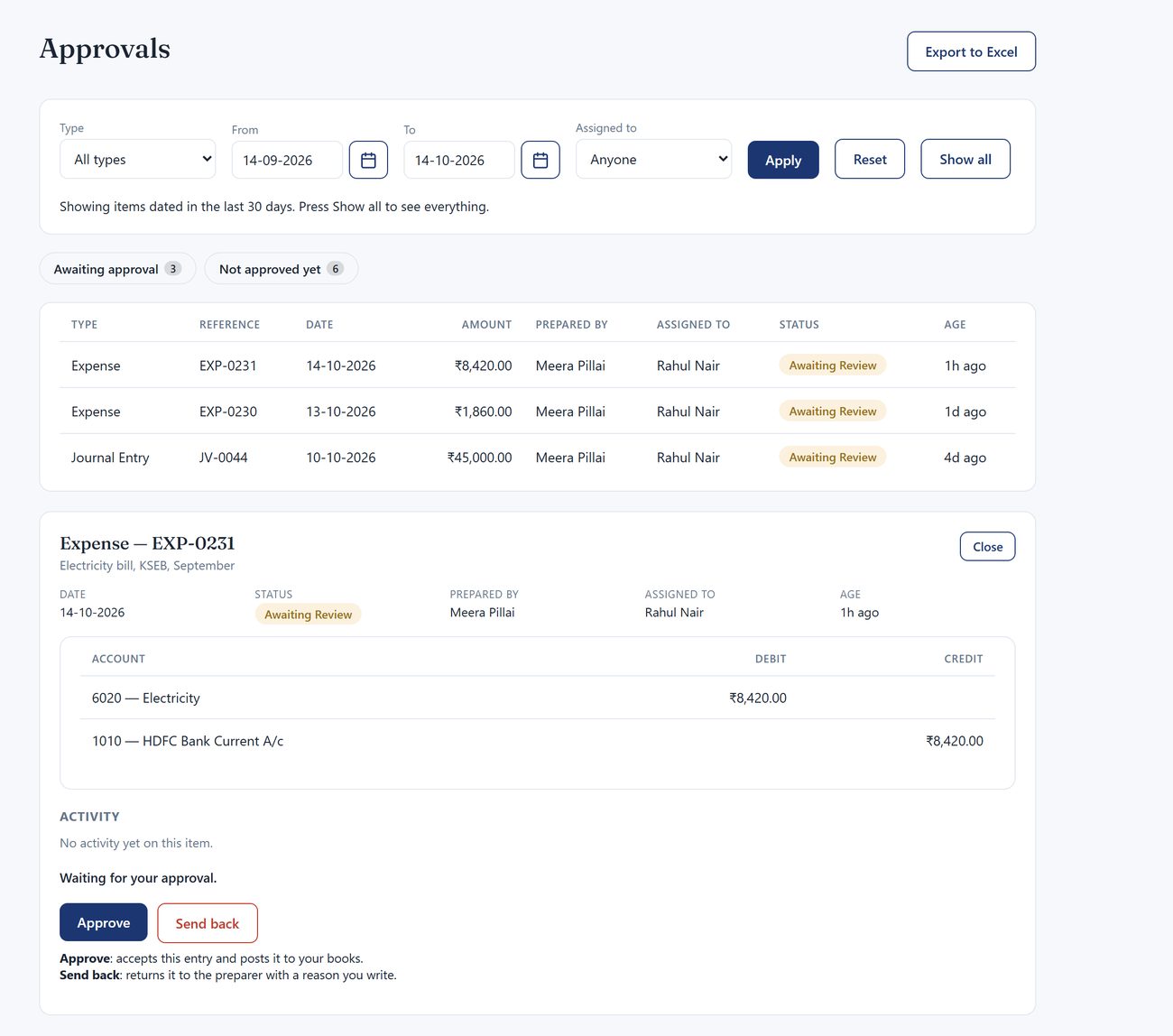
Approvals
Nothing reaches the books until the right person says so.
Entries move from the person who prepared them up through your office, the way it already works. The approver sees exactly what will post, then approves it or sends it back with a reason.
- Nobody approves their own entry. An owner running the business alone can approve their own work, and an accountant who runs a client's books can be allowed to if the owner switches that on.
- Vouchers can be numbered when they are approved. The owner can also re-number a year's vouchers by date, once TelBooks has made that available.
- Every item keeps its activity, so you can see who prepared and who approved it.
Bank
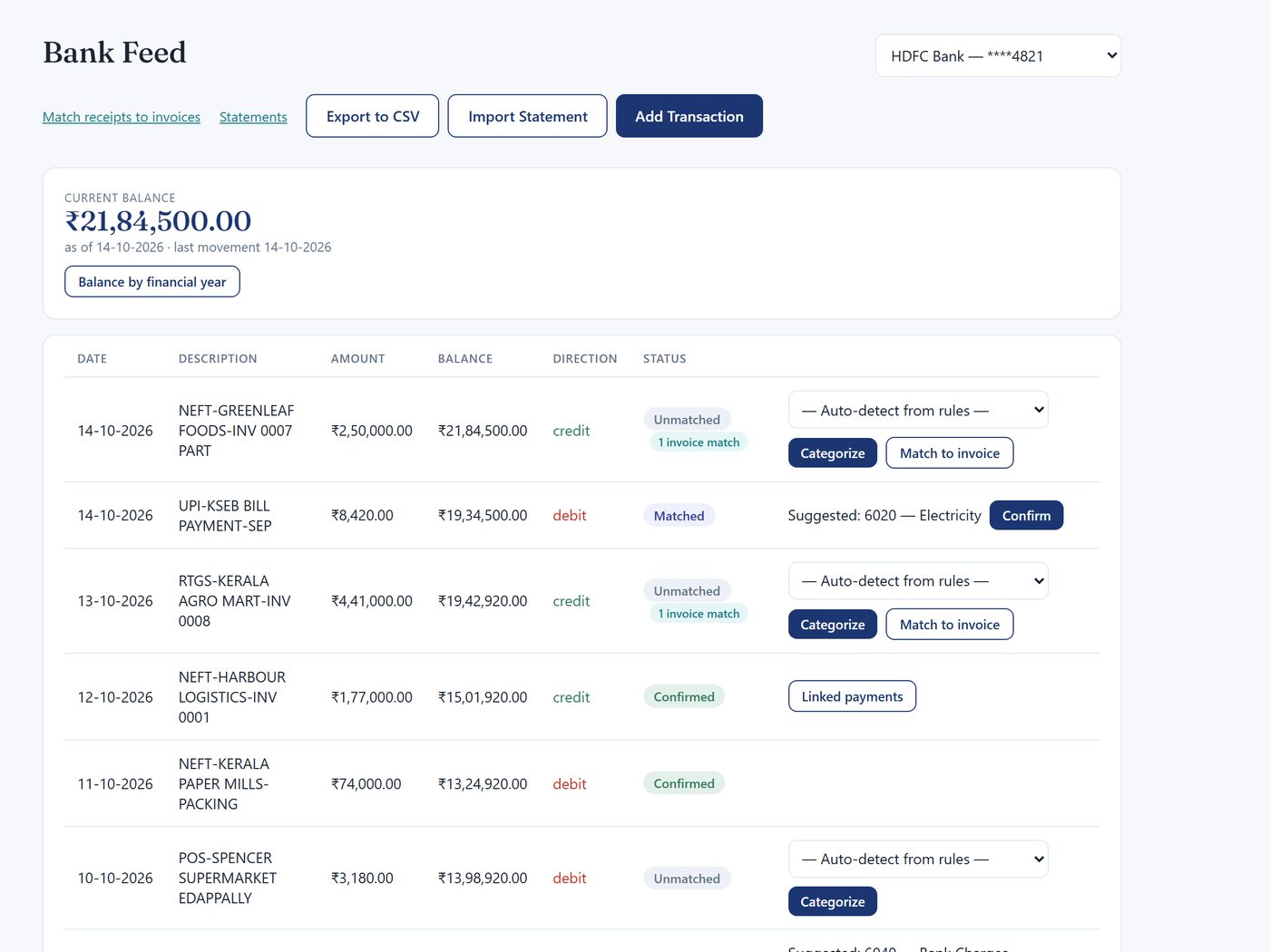
Match the bank statement. Skip the retyping.
Import a statement and each line arrives with a suggested account or a matching invoice. Confirm what is right and categorize the rest.
- Receipts line up with the invoices they pay.
- Suggested accounts for recurring items such as electricity and bank charges.
- Export any list to Excel or PDF.
Reports
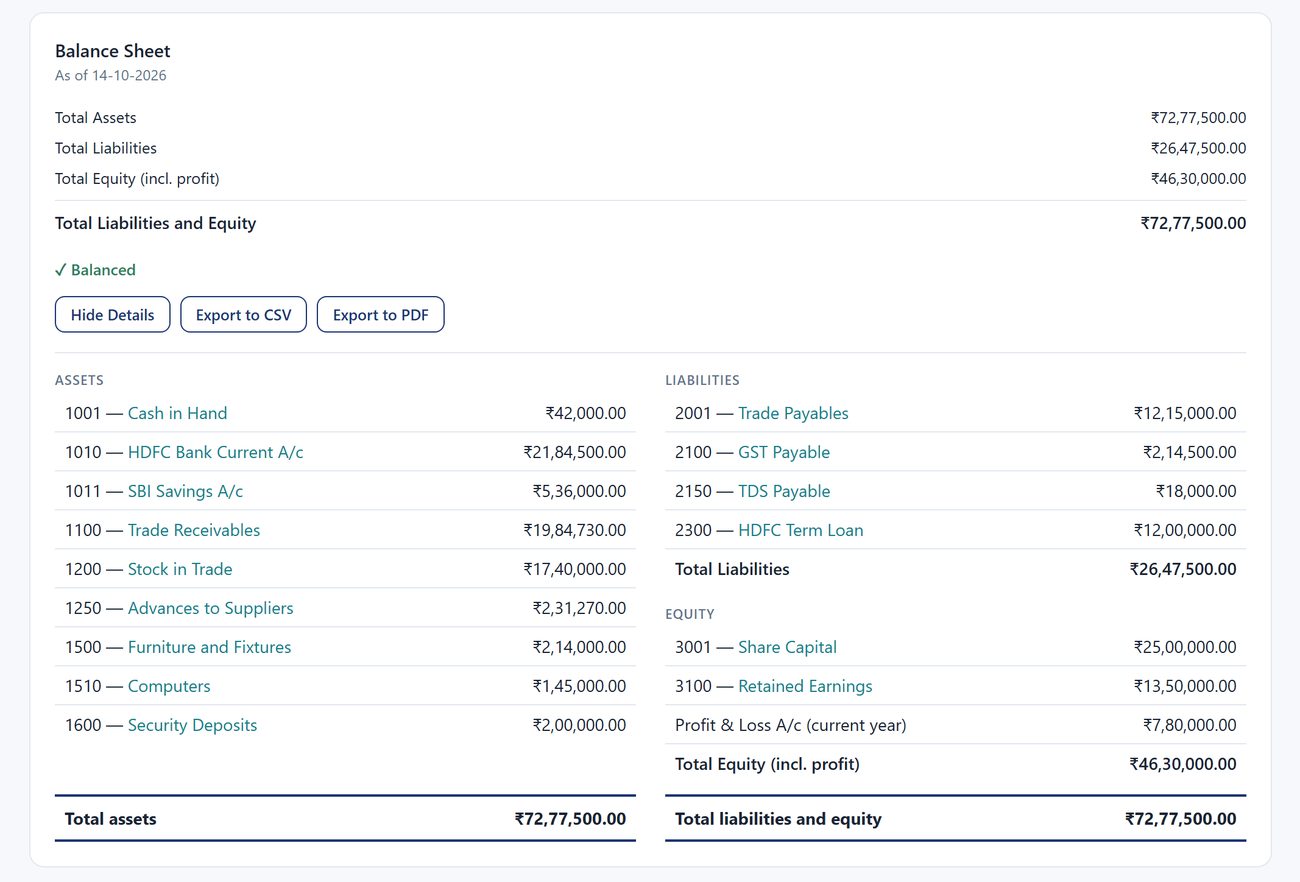
Reports that balance.
The balance sheet and the profit and loss come from the same entries. When assets equal liabilities plus equity you see a plain Balanced tick, and each account links to its ledger.
- Export to Excel or PDF.
- Financial years, with the current year up to today.
- Receivables and Payables with ageing, a check against the trial balance, an Excel download, and a link to share a party's statement.
- Reverse charge on purchase bills, with the self-invoice, the tax payment and the GST summary.
Coming from Tally
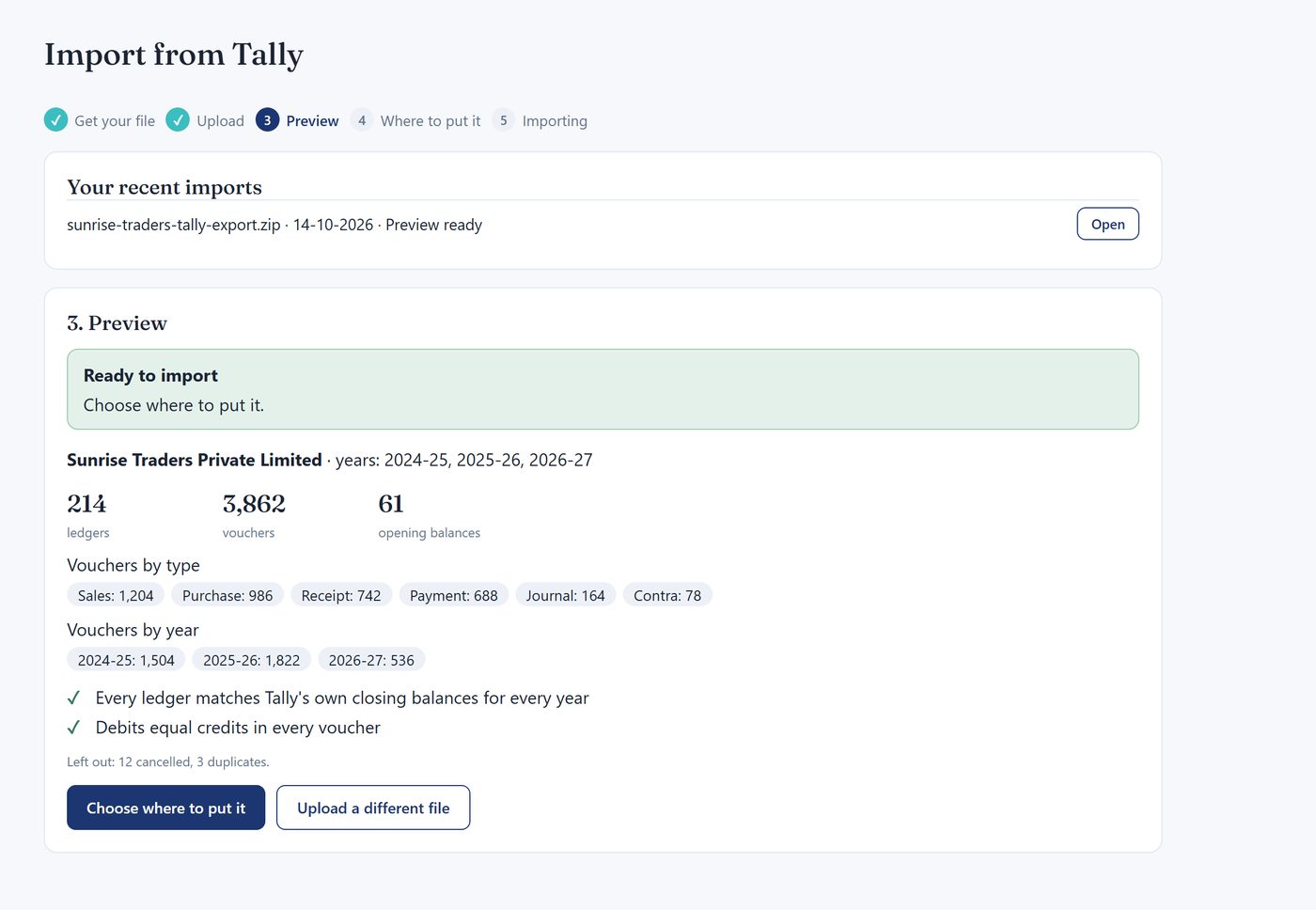
Bring your Tally books across, and check them first.
Upload the export from the TelBooks connector and see a preview before anything is saved: ledgers, vouchers by type and year, and a check that every ledger matches Tally's own closing balance and that debits equal credits in every voucher.
- Cancelled and duplicate vouchers are left out and listed.
- You choose where the data goes.
For accountants
Run your clients' books from one login.
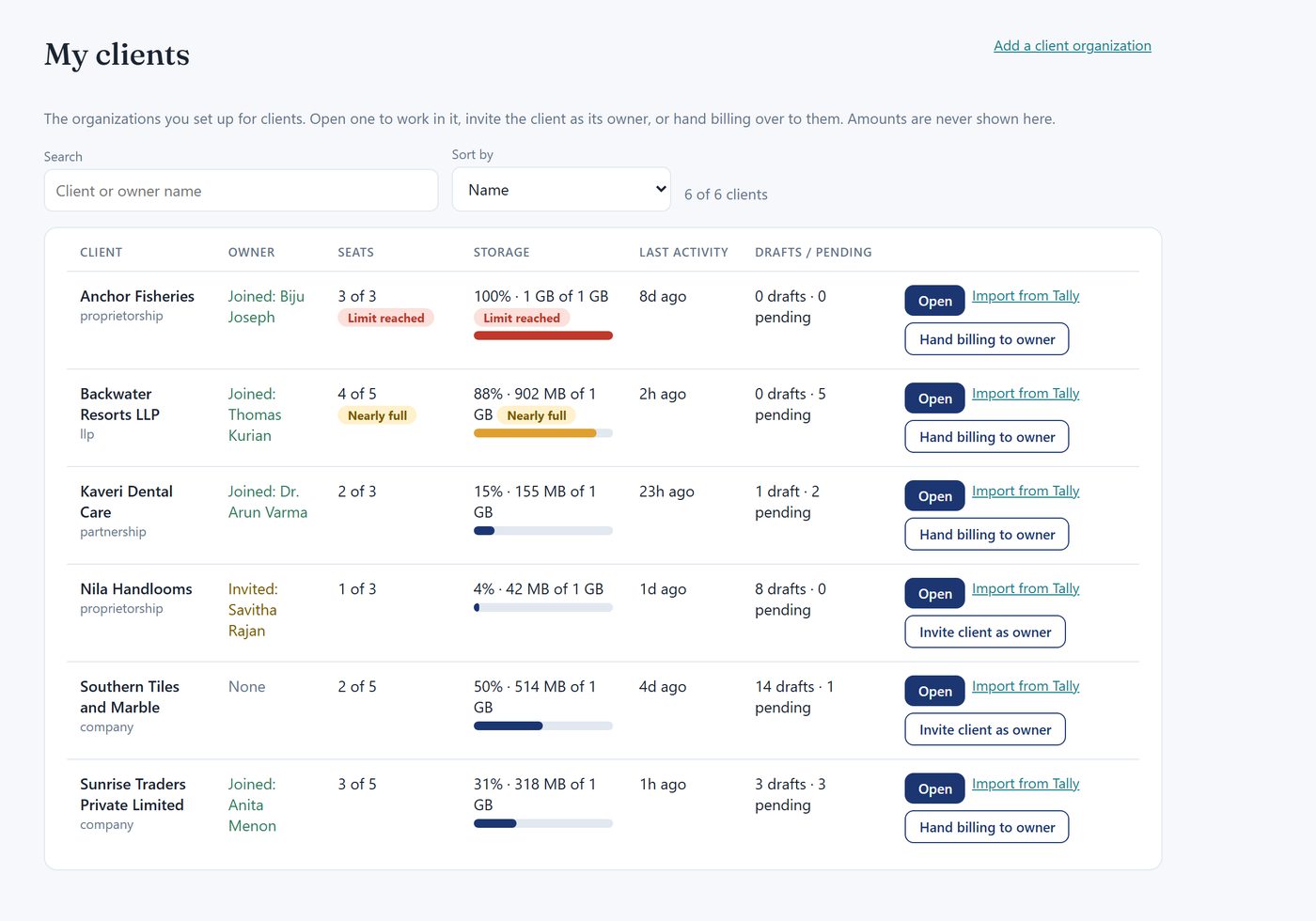
Set up an organization for each client and work in it. When the client is ready, invite them as the owner and hand billing over, or hand the whole organization to your client as its owner while you stay as the billing accountant. Your client list shows seats, storage, last activity and pending items, and never shows their amounts.
- Open any client with one click.
- Bring a client's Tally data in from the same list.
Plans
Free while we build with our first firms.
Early access
- Invoices, bank feed, approvals and reports
- Import from Tally
- Export and SEZ invoices, custom numbering
- Teams with roles (the free plan has 2 users, and your accountant's seat counts as one)
Paid plans
Some features, such as foreign currency invoices, custom numbering and extra seats, will move to paid plans. We will announce prices before anything changes.
Questions
Before you ask.
Does TelBooks file my GST returns?
Not yet. Return filing is planned. Today TelBooks handles the invoices, books and reports that your returns are prepared from.
Can my accountant work in my books?
Yes. Add your accountant as a user with a role, or let them set up your organization and invite you as the owner.
Can I move my data from Tally?
Yes. Export from Tally with the TelBooks connector, upload the file and review the preview before you confirm.
Does it work on a phone?
Yes, in your phone's browser. A dedicated app is planned.
Contact
Talk to us.
Tell us a little about your business or your practice and we will get back to you.
- info@telbooks.in
- Phone
- +91 96053 22923
- Address
- Ground Floor, 68/1453, Tatapuram Sukumaran Road,
Ernakulam North, Kacheripady,
Kochi, Kerala 682018